
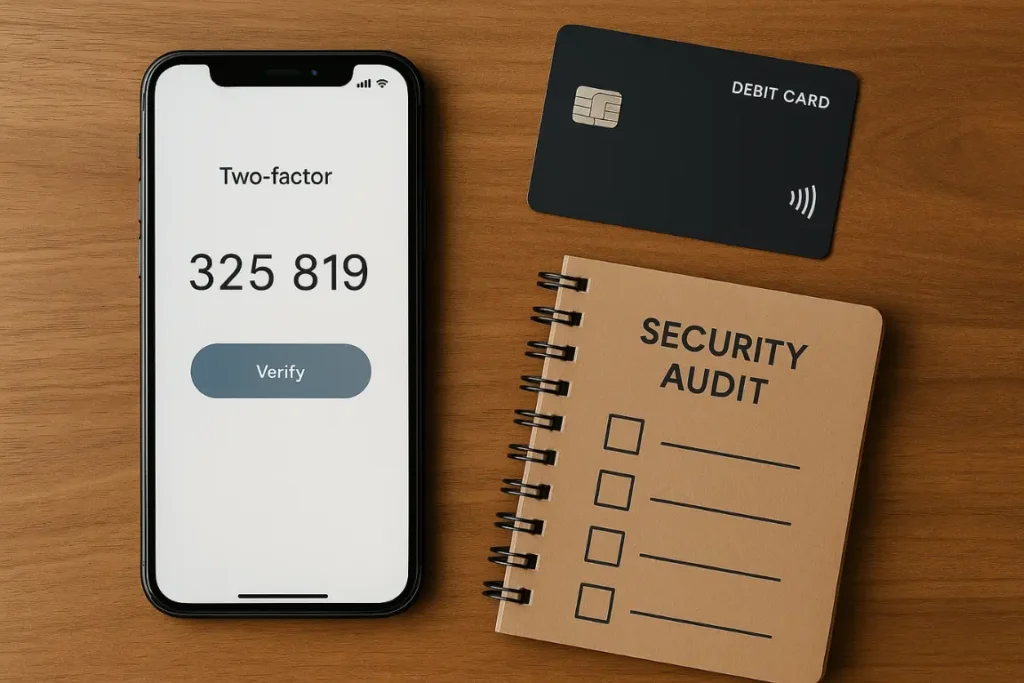
Midnight arrivals test every wallet. A sleepy terminal, a weak network, and a card that refuses to pay. After years of living across borders, I learned to rank banking apps by safety first and perks second. The goal is simple: keep money reachable while you cross countries, without risking account freezes or fraud.
In 2026, more digital nomads than ever rely on mobile banking apps, which also means more phishing attempts, account reviews, and compliance hurdles. Choosing the right app and locking it down properly isn’t optional anymore it’s survival. If you need the big picture of how each account fits with cards and transfers, the guide to the best international banking apps for 2026 sets the context.

The licence question you must answer first
A shiny interface means nothing without the right licence. Start at the footer of the website or app profile. You want one of these:
- Full bank licence (safest, with deposit protection)
- E-money or payment institution licence with ring-fenced client funds
Anything else is a pass. If the legal entity or regulator is hard to find, move on. Clarity is a feature, not a bug.
Why this matters in 2026: Regulators across the EU, UK, and US have tightened oversight. Apps without proper licences can disappear overnight, taking your balance with them.
Deposit protection at a glance
Protection limits help you sleep. Know the cover where your money actually sits:
- European Union: Deposit guarantee up to €100,000 per customer per bank
- United Kingdom: FSCS cover up to £85,000
- United States: FDIC cover up to $250,000 when the app partners with an insured bank
If an app uses safeguarding with a partner bank rather than deposit insurance, treat it like a payments tool. Keep travel cash there. Park savings somewhere covered.
Technical controls that should be non-negotiable
Good apps feel fast yet put friction on the right actions. Run this list before you trust any balance:
- Biometric login or a hardware key
- Two-factor authentication on every outgoing transfer and new payee
- Instant card freeze and unfreeze
- Disposable virtual cards for risky merchants
- Push alerts for every payment and withdrawal
- Encryption in transit and at rest
- The ability to lower contactless limits or disable contactless entirely
If even one control is missing, you accept more risk than needed. My full security stack lives in the essential tools and apps list.
Popular apps digital nomads use (and how to audit them)
Most digital nomads in 2026 rely on a mix of these apps. Here’s how to apply this checklist to each:
Wise (formerly TransferWise)
- Licence: E-money institution (FCA-regulated, UK)
- Deposit protection: Safeguarded funds (not FSCS-covered, but ring-fenced)
- Strong points: Multi-currency accounts, low fees, virtual cards, biometric login, instant freeze
- Audit tip: Check that 2FA is active on every transfer, not just login
Revolut
- Licence: Full bank licence in some countries (Lithuania), e-money in others
- Deposit protection: Up to €100,000 in EU regions with banking licence
- Strong points: Disposable virtual cards, spending analytics, crypto features
- Audit tip: Review which legal entity holds your account (varies by country)
N26
- Licence: Full bank licence (Germany)
- Deposit protection: €100,000 EU deposit guarantee
- Strong points: Clean app, instant notifications, Spaces for budgeting
- Audit tip: Enable travel notifications before you leave the EU to avoid blocks
Monzo (UK-based nomads)
- Licence: Full UK bank licence
- Deposit protection: £85,000 FSCS cover
- Strong points: Best-in-class support, instant card freeze, spending insights
- Audit tip: Check international ATM limits before heavy travel
Action: Pick your main app, then run the full 10-minute audit (see below) before loading real money.
Support that answers when your clock is upside down
Travel breaks office hours. You need humans awake when your card fails at 01:00. Test support before loading real money:
- Live chat response under three minutes during local daytime
- A clear path to escalate to a specialist
- Weekend and holiday coverage
- Languages beyond English if you travel long in Europe or Latin America
- A status page that shows incidents in real time
Keep a transcript of your test chat. It helps if you ever file a complaint.
Compliance signals you can check from a hostel couch
Good compliance keeps accounts open. Weak compliance creates surprise freezes.
- Clear KYC refresh policy and reminders before documents expire
- Proof of source of funds flow when large transfers arrive
- Sanction and PEP screening on recipients
- For crypto features: a named entity and jurisdiction with simple risk disclosures
Upload documents on a wired or stable connection. Delays often come from blurry scans rather than policy.
2026 update: Many apps now require annual re-verification even if you’ve been a customer for years. Set a calendar reminder so you don’t get locked out mid-trip.
Your personal safety routine
The app does its part. You do yours. Build a simple routine that survives a lost phone or a border check:
- Split balances across two providers
- Keep a third offline reserve for emergencies
- Store recovery codes on paper in two places
- Label virtual cards by merchant and rotate the high-risk ones every quarter
- Set push alerts at €10 or $10 so small fraud jumps out
- Turn on location-based security where offered
- Carry two physical cards in different pockets
This looks like work. It saves days of stress when something goes wrong.
Stress tests that take five minutes
Run these quick drills before a big trip. You want muscle memory when you’re tired and the WiFi is slow:
- Freeze a card then unfreeze it
- Add a new payee and send €1, then delete the payee
- Change the daily card limit then set it back
- Export a month of statements to CSV
- Open chat and ask how to file a formal complaint
- Try a small ATM withdrawal at off-hours
If anything feels clunky, fix it now or switch apps.
Red flags that should stop you
- SMS-only 2FA with no app-based codes or security key
- Slow or missing statements
- Long outages with no status page updates
- Vague answers about safeguarding or partner banks
- Support that copies scripts but never solves the issue
You can forgive a minor bug. You do not forgive silence.
Building a simple two-app setup
One app holds travel funds and does the daily moves. The second keeps savings and serves as backup if the first hits a review.
- Daily app: Instant freeze, virtual cards, strong chat, and low ATM fees
- Savings app: Deposit insurance and clean statements for visas and tax
Move money between them once a week. Treat it like digital hygiene.
Data hygiene for public networks
Cafés and coworking spaces are noisy networks. Keep your banking traffic clean:
- Use a reputable VPN
- Never store card screenshots in the photo roll
- Keep banking on your laptop and messaging on your phone
- Avoid shared computers for logins
- Log out after each session on borrowed devices
Small habits lower risk more than fancy tools.
A 10-minute audit for any new app
Before you trust a new banking app with real money, run this checklist:
- Find the licence and regulator in the footer
- Confirm deposit protection or safeguarding policy
- Set up biometric login and two-factor authentication
- Issue a virtual card and make a €1 purchase
- Freeze and unfreeze the card
- Open chat and ask about escalation steps
- Export a CSV of transactions
- Read the status page history for the last three months
- Set spend caps and push alerts
- Save recovery codes offline
If it fails two steps, look elsewhere.
Quick security checklist (printable)
Use this table to audit your banking app in under 5 minutes:
| Security Feature | Your App |
|---|---|
| Full bank or e-money licence visible | |
| Deposit protection or safeguarding confirmed | |
| Biometric login or hardware key enabled | |
| 2FA active on all transfers | |
| Virtual cards available | |
| Instant card freeze/unfreeze working | |
| Push alerts enabled for all transactions | |
| 24/7 support (or at least weekend coverage) | |
| Clear KYC / compliance process | |
| Recovery codes saved offline |
Scoring: 10/10 = Safe to use as your main banking app. 7-9/10 = Good for travel funds, not for savings. Below 7 = Look for a better option.
Conclusion
Security is a habit, not a sticker. Choose licensed apps, enable every control, and keep a second route alive. Run small drills before big trips so nothing surprises you.
Once your wallet feels solid, learn the cheapest ways to send money abroad and cut ATM fees to turn safety into savings. For a complete finance setup including tax strategies and invoice tools, see the digital nomad finance guide.